
Getting Started in Worming from Home
Survive the opening call, type the password, and leave the desk in one piece.
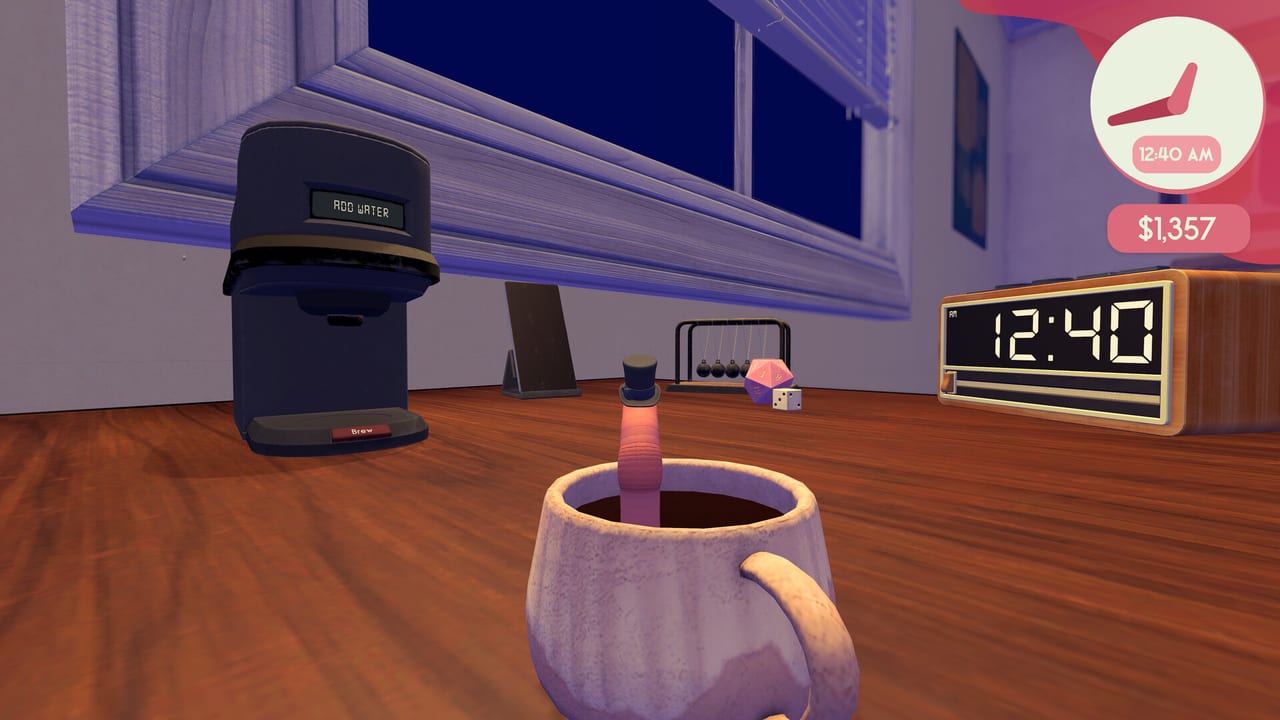
Worming from Home drops you on a human desk with a job you have supposedly held for six years. The opening beat is a boss call: you are finally in line for senior financial analyst if the numbers go up and nobody notices the wet sounds. This page is the first-hour checklist. Movement theory lives in How to Play. Individual jobs live in How to Complete Tasks. Spend decisions live on the upgrade ranking.
What you just bought
The game is a single-player physics job sim on Steam (app 3547270). Launch day was 4 September 2026. Windows 10 64-bit and macOS 11 Big Sur are the listed floors; macOS 14 Sonoma plus Apple silicon is the comfortable Mac setup. Steam Deck is Verified, with controller glyphs and a default layout that actually reaches every action. It is single-player only, with no online lobby and no reason to wait for a friend. Install size on Windows is about 3.9 GB on disk. Saves sit in a JSON folder under LocalLow on Windows and Application Support on Mac — see system requirements if you are moving a save.
Price at launch sat at $7.99 USD with a timed introductory discount. Thirty-two Steam Achievements and Steam Cloud are on the store page. None of that changes the first hour: you still have to get out of bed, reach the computer, and look employed.
The opening call
Let the voicemail or live call play. The joke is the briefing. Your boss wants output, teamwork, and a promotion packet that does not look like a worm wrote it. You do not need to mash during the speech. Use the time to notice the camera, the edge of the mattress or shelf, and whether a controller or mouse feels less cursed. If you skip too hard you will miss where the task board lives relative to the keyboard.
Login is a typing exam
Official screenshots and playthroughs show a sticky note on the monitor stand with password: worm123. Treat that as the typed login the desk wants you to hunt on the keys. If a patch changes the note, type what the note says, not what this sentence remembers. You will still have to find W, O, R, M, and the number row with a body that is shorter than a keycap. Middle-click (or the Deck equivalent) is the move that locks your view onto the monitor so you can see whether the field accepted the character. Backspace is a real key. Shift and Caps Lock both appear in spreadsheet jobs later; do not assume the login field is case-blind.
If you overshoot into the mug, the plant, or the void, look for a reset-objects option before you restart the day. Items you knock off the desk can take the mouse or a sticky note with them. The controls reference lists the camera and reset ideas in one table.
Read the task board before you shop
The board is the day. Mail, sheets, and phone jobs appear with enough instruction to start and enough sarcasm to miss a constraint. GameSpot’s launch write-up called out a sheet that wanted your height — a number that lives in the world, not in your head. That is the pattern: some tasks are typing, some are fetch quests across six inches of particle board. Open How to Complete Tasks when a card looks like a riddle.
Do not buy the entire shop the first time a dollar appears. The demo teases a larger desk as a late purchase and ends when you grab it. In the full game, desk size, reading nook, gym gear, and the worm hole portal all compete for the same bonus. The upgrade tier list exists so you do not spend the promotion budget on a sock hat. Cosmetics are fun; they are ranked separately under cosmetics.
Do not die on the edge
The desk has a lip. The floor is a cutscene you did not ask for. Early deaths in playthroughs come from charging a jump toward the void, riding the mouse off the front, or celebrating a sent email with a backflip. Keep one loop of worm on the wood. If you must jump, jump toward the number row or the monitor bezel, not toward the camera. Reset beats reload.
First-hour loop that actually works
- Survive the call without diving off the furniture.
- Log in. Confirm the field on the monitor before you leave the keys.
- Clear one mail and one sheet so you understand the board.
- Answer or hang up one phone job. Hanging up is a physical button; see the task guide.
- Take the first bonus to a productivity purchase, not a cosmetic, unless you are here for hats. Cross-check Worm-Life Balance if the shop is mixing gym, books, and drip.
- Stop before you are tilt-typing. The physics are the joke and the skill. A five-minute stretch beats a twenty-minute bounce-loop.
What to open next
If login felt like QWOP, stay in How to Play until a charged hop lands on the key you meant. If login was fine and the board is the wall, go to tasks. If the board is fine and the title is the wall, skip ahead to How to Get Promoted and the stock market. Patch context lives in launch notes. Official store and Discord links live on Links.
You are not late. The worm has been in this role for six years. The wiki is just trying to keep the next six hours from looking like the last six.
Frequently Asked Questions
Quick answers to the most common questions.
Is Worming from Home out yet?
Yes. It launched on Steam on 4 September 2026 for Windows and macOS, with Steam Deck Verified. This wiki treats the campaign as released.
Is there multiplayer?
No. The Steam page lists single-player only. You cannot invite a second worm onto the desk.
What should I buy first?
Productivity desk items before hats. Rank options on the upgrade tier list after your first bonus.
The demo password does not work.
Playthroughs used a short tutorial password. The full game can change the string. Read the on-screen field and type what it asks.