
How to Play Worming from Home
The desk is the level. Your spine is the analog stick.
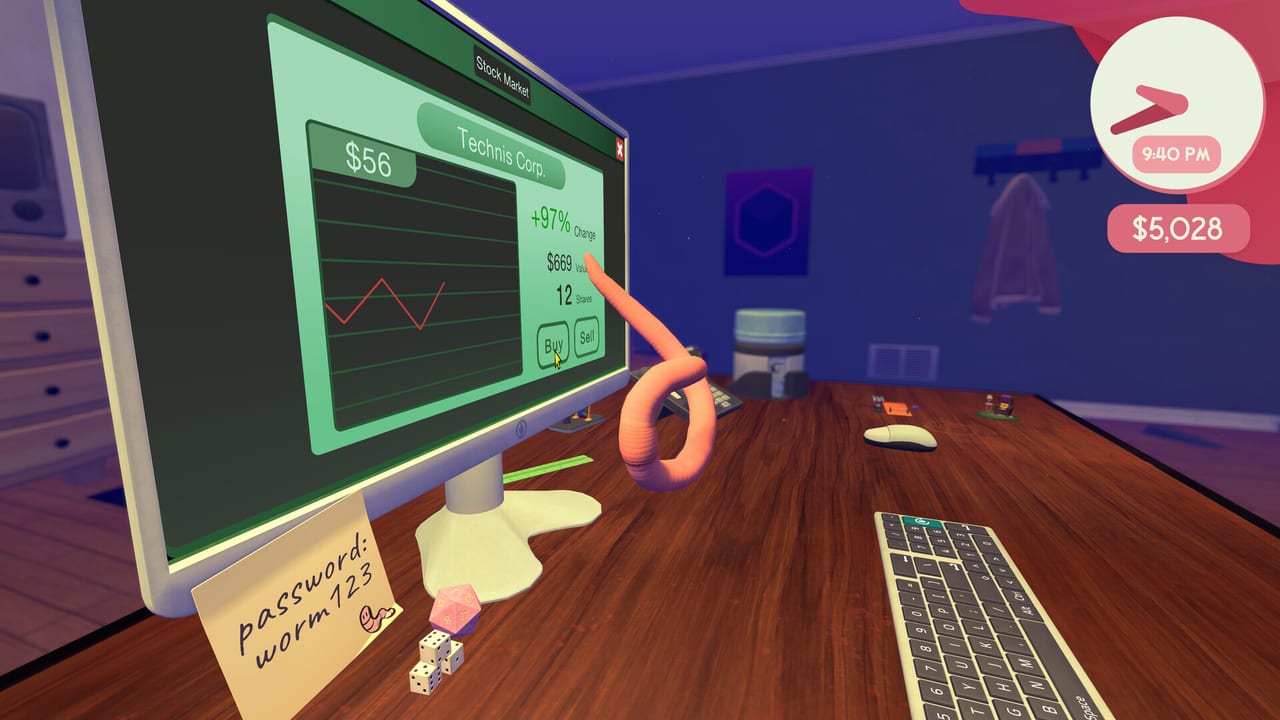
Worming from Home looks like a typing game and plays like a physics toy. You do not have a walk cycle. You have mass, stretch, and a habit of over-rotating into a stapler. This page is the movement and input guide. Bindings in a single table live in the controls reference. The first-hour checklist is Getting Started. If you already move fine and still fail jobs, switch to How to Complete Tasks.
The fantasy the physics are selling
You are a worm on a human desk. Keys are platforms. The mouse is a vehicle you can ride or shove. The monitor is a second camera you must actually look at, because the in-world Excel sheet is not a HUD overlay. Launch-week coverage compared the feel to QWOP and then immediately walked it back: the ragdoll is silly, not spiteful. GameSpot called the control surprisingly pleasant once you stop treating it like a precision platformer. That is the skill ceiling. You are learning to aim a floppy body, not to perfect-parry a boss.
Camera and the monitor
Demo players bound a middle-mouse press to lock onto the screen. On a Deck or gamepad, look for the equivalent focus / camera stick click in the default layout — the Verified report says every action is reachable without a keyboard overlay. Use that lock whenever you type. If you keep launching at keys while staring at the worm, you will hit adjacent letters and then invent a lore reason the password is worm124.
When the lock fights you, release it, reposition on the WASD cluster or the spacebar plateau, then lock again. Do not type from the far edge of the desk. Commute first, work second.
Typing without hands
Headbutts are the official input. Aim the head at the legend you need, commit, and wait for the monitor to echo the character. Spreadsheet jobs care about case. Playthroughs wasted minutes on a lowercase A when the cell wanted Shift or Caps Lock. Those modifier keys are just more platforms. Park on Shift, bounce the letter, or toggle Caps if the sheet is a block of capitals.
Backspace is not optional. Plan a path to it before you start a long string. Number-row jobs (passwords, prices, height) need a separate commute from the letter keys. If a task wants a measurement from the world, go find the object, then come back — do not guess and fight the sheet. That pattern is covered with examples in the task guide.
The mouse is a boss fight
Clicking is not a button on your controller mapped to a UI cursor. You shove or ride the physical mouse until the on-screen pointer is in the cell or Send button, then you bounce the click. That is why a bigger desk and a better mouse show up in the shop. If the pointer is close, micro-shoves beat heroic leaps. If you yeet the mouse off the front of the desk, use reset-objects before you reload the day. The upgrade ranking treats mouse and desk size as high-impact because they shrink this fight.
Jumping, charging, and the void
Space (or the south-face controller button) is the jump language players used in the demo. Charged hops matter more once you buy the worm hole portal, where missing a jump is a full restart in hard mode. On the main desk, charged hops are how you mount the keyboard from the wood and how you reach a mug, phone, or webcam. Charge toward a wall of keys, not toward the camera. The lip of the desk is a kill plane with a sense of humor.
Keyboard versus controller versus Deck
- Mouse and keyboard: best for camera lock and tiny mouse nudges. Worst for people who try to WASD the worm like a shooter.
- Gamepad: full support, DualShock and DualSense included. Better for analog flings. Worse for one-pixel sheet clicks until you practice.
- Steam Deck: Verified in August 2026 on a listed build. Default config is complete, glyphs match, text is readable, and the default graphics preset performs. If a community layout appears later, treat the official default as the baseline and only swap if a bind is fighting you.
Accessibility notes on the store page include color alternatives, custom volume, stereo, and playable without timed input / quick-time events. That last point matters: the comedy is physics, not Simon-says prompts. You can pause the social panic even if the task timer is still a jerk.
A practice drill that is not the campaign
Before you open a high-value sheet, spend two minutes on the letter cluster you will need. Hit W three times. Hit Backspace three times. Drag the mouse in a one-inch square. Then lock the monitor and type a throwaway word. This is the same warmup speedrunners used on the demo, just without a timer. If you are still bouncing into the plant, stay here. If the physics clicked and the jobs did not, go to tasks. If both clicked and the title did not, go to How to Get Promoted.
Hardware floors, install size, and save paths are on system requirements. Official channels are on Links.
Frequently Asked Questions
Quick answers to the most common questions.
What are the default controls?
The worm is a ragdoll, not a WASD character. Jump/charge, camera lock (middle-click in the demo), and physical mouse shoving are the core verbs. See the controls reference for a compact table.
Does it play well on Steam Deck?
Yes. Valve marked it Verified: default controller config covers every action, glyphs match, UI text is legible, and the default graphics preset performs.
Why will the spreadsheet not accept my letter?
Case and focus. Lock the camera on the monitor, then use Shift or Caps Lock when the cell wants a capital.
I keep falling off the desk.
Stop charging toward the camera. Commute along the wood, then hop onto keys. Reset objects if the mouse went with you.