
Worming from Home Upgrade Tier List
What to buy when the bonus lands and the board is still full.
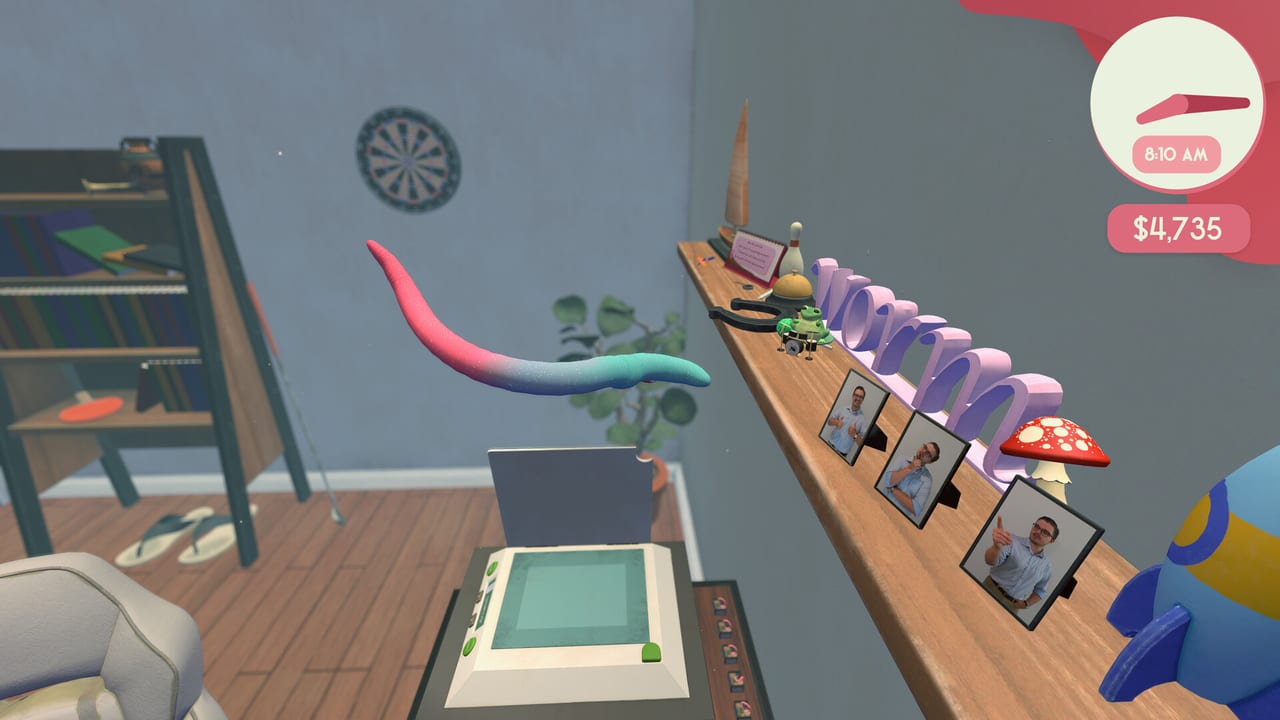
This list ranks Worming from Home shop tools by how much they change a workday. Hats are on the cosmetics ranking. How to use the toys is spread across tasks, stocks, worm-life, and worm hole. First-hour context is Getting Started.
Tiers assume you care about output and the promotion. If you do not, ignore S and buy the drinking bird.
S — the desk gets shorter
Larger desk. The demo treats a big desk as a climax purchase for a reason. More wood is more safe landing, more room for mouse travel, more space for gym and nook without stacking hazards on the keyboard. If the full shop still sells a desk expansion first, take it.
Better mouse (the ultra-ergonomic / “worm nomic” joke). Clicking is a boss. A mouse you can steer without yeeting off the lip saves more seconds than a perk you forgot to spend. Pair it with the camera-lock habit in How to Play.
Reading nook (and the comfier upgrade). Preview coverage maps the nook to a Snake-style study game that pays financial insight and better tickers. That is a downtime converter into market power. High because it prints options, not because books are funny.
A — multipliers for people who already type
Training items the helper gates perks behind. Playthrough dialogue says higher perk tiers want fancier training objects. If a sheet or the market is still locked, this is the buy, even if the model looks like a toy.
Monitor extension. Seeing the cell you are ruining is part of the skill. If you already camera-lock and still cannot read, this is A. If you never lock, this is a waste.
Gym / worm weights / yoga mat. Movement multipliers. They do not aim for you. Buy after you can hit Backspace on purpose. Details in worm-life balance.
B — funny, sometimes useful
Intern. A purchased actor in a single-player game. Comedy, maybe labor, definitely a webcam risk. Do not buy as a second-player ticket. The campaign is single-player only.
Printer, coffee gear, Kevin the drinking bird. Desk clutter with bits. Printer is the most “work-shaped.” Kevin will distract you into a fall. Coffee mugs are already killboxes.
Trampoline. Movement toy. Great clip, mixed commute. Keep it away from the lip.
Gaming chair. Comfort bit. Rank it like furniture flavor unless a patch ties it to a stat the helper names.
C — optional pain and optional chaos
Worm hole portal. Excellent if you want a second game. Wrong if you are mid-review week. Course rules are on the worm hole page. Hard mode is C for career, S for masochists.
Dice / gambling props. You will throw them, lose the mouse, and call it research. Fine after the board is clear.
Webcam. Buy it to complete a card or a bit. Then point it at the ceiling. Optics are half of promotion.
Cup of pins. Demo shoppers wanted it because it looked basic. It is still a cup. Cups eat worms.
D — not upgrades
Hats and skins. Not here. Go to cosmetics.
Custom keycaps. Borderline: they change the landscape you walk on, so they can be B if they improve footing, D if they are only pretty. Default them to cosmetics until you feel a footing change.
How to use the list on a real Monday
- One S buy if you can afford it.
- One A buy if a gate is visible.
- Stop. Go type.
- Hats only from leftover dust.
Patch reshuffles belong in launch notes. Controls issues are not solved by shopping; they are solved in the controls reference. Store page and Discord: Links.
This ranking will look mean to Kevin. Kevin had it coming.
Frequently Asked Questions
Quick answers to the most common questions.
What is the first upgrade I should buy?
Desk space or a controllable mouse, whichever the shop is offering that actually shortens your commute.
Is the intern S-tier?
No. Funny B. Single-player, webcam risk, not a second player.
Why is the worm hole so low?
It is optional platforming. High as a toy, low as a promotion tool.
Where do hats go?
On the cosmetics tier list.